
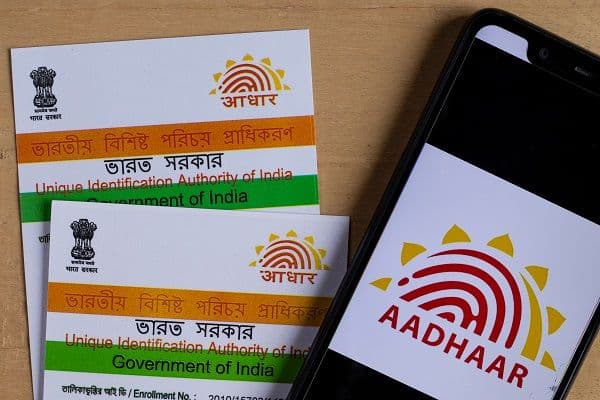
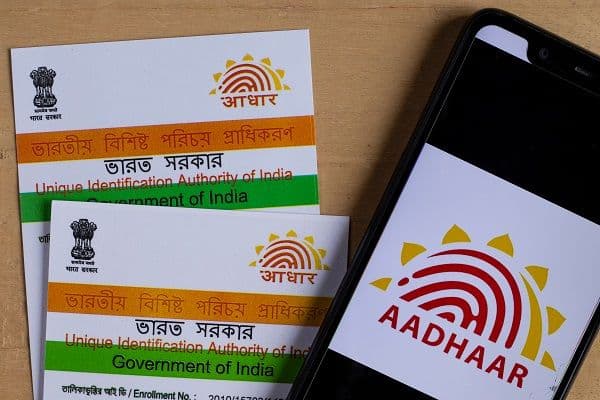
How to Download e-Aadhaar Card Online?

Loan in
60 Minutes
Aadhaar is an important legal document. If you require the Aadhaar immediately, then you don’t need to wait for the physical document. Instead, you can get the e-Aadhaar downloaded via the UIDAI MyAadhaar Portal and the Aadhaar App with OTP.
Quick reads
-
Use only official UIDAI channels for Aadhaar download online.
-
Keep your Aadhaar number, Enrollment ID, or VID handy.
-
To download e-Aadhaar, a one-time password is delivered to your linked mobile number to verify your identity.
-
The PDF file you download is secured with a password to increase protection.
-
Before starting, make sure your cell phone is accessible and connectivity remains intact.
The e-Aadhaar is a secure, password-protected electronic version of your Aadhaar card that carries a digital signature from UIDAI. A simple download e-Aadhaar process lets you access it online, provided your registered mobile number can receive the OTP. The e-Aadhaar holds the same legal validity as your original physical Aadhaar card. Downloading e-Aadhaar is easy because e-Aadhaar is the electronic version of your Aadhaar, issued as a digitally signed and password-protected PDF by UIDAI. There is no reason to see it as a temporary alternative as per UIDAI; it has equal validity as a physical form of Aadhaar for any purpose.
How to Download e-Aadhaar Online?
If you want to complete e-Aadhaar download online, follow these steps:
-
First of all, you have to go to the official UIDAI MyAadhaar portal
-
Now, choose the download e-Aadhaar option
-
Enter your Aadhaar number, Enrolment ID, or VI
-
Enter the other required details and captcha, if shown
-
Request an OTP. It will be sent to your Aadhaar-registered mobile number
-
Enter the OTP and authenticate your request
-
Submit the details and download the PDF
-
Open the file using its password
The process is easy. Check that your registered mobile number is active before starting. Download e-Aadhaar only through UIDAI’s official route. According to UIDAI guidelines, Aadhaar can be downloaded by using your Aadhaar number, Enrolment ID, or VID, after verifying your identity through an OTP sent to your registered mobile number.
What Should You do in Case You Don't Have Your Aadhaar Number?
You don't have to worry if you've forgotten your 12-digit Aadhaar number. UIDAI permits downloads using an Enrolment ID or Virtual ID as well. For a smooth Aadhaar download online, enter the details exactly as they appear in your UIDAI records.
How to Open the Downloaded e-Aadhaar PDF?
If you want to open the downloaded e-Aadhaar PDF file, it may ask for a password. This is a security feature of the downloaded PDF. If you want to open the PDF, please enter the first 4 letters of your name in all capital letters, along with the birth year in YYYY format.
If you need Aadhaar download online in a hurry, do not repeatedly request OTPs without checking the registered number first. Network issues can delay an OTP. Check that if your mobile number linked to your Aadhaar is active and can receive messages. If the issue continues, wait briefly and try again. Never share your OTP. The official Aadhaar app also offers e-Aadhaar and other services. Always use an official app store and verify that you are downloading the genuine UIDAI application.
Is e-Aadhaar Safe to Use?
e-Aadhaar is digitally signed by the UIDAI and secured by a password. The Aadhaar document has your personal details, so please be careful while using it. Spending just one minute verifying the website will help you secure your details and avoid any mistakes during application. A masked Aadhaar can be considered if your complete Aadhaar number is not required. It hides the first 8 digits and reveals only the last four digits.
Can e-Aadhaar Help with Financial Applications?
Keeping identity documents ready can make online financial processes more convenient. Aadhaar may be requested as an identity or address proof document for some applications, although requirements vary between providers. For instance, a digital personal loan application may ask for Aadhaar along with PAN, income documents or bank statements. With Finnable, you need Aadhaar and PAN among the basic documents for its personal loan application, subject to eligibility and verification. Check the lender’s official website and understand the charges and repayment terms before using a secure application process, before submitting documents or completing the verification online.
Tips to Follow for Downloading e-Aadhaar
Some common tips that you can follow while downloading Aadhaar are:
-
Entering your details inaccurately
-
Reconfirm your identity using the One-Time Password sent to your mobile phone, which is registered under your Aadhaar
-
Never share your OTP
-
Download only from official UIDAI channels.
-
Remember the PDF password format.
-
Store the file securely on your device.
Wrapping Up
Downloading e-Aadhaar is not as complex as it may first seem to you. With all the necessary Aadhaar information on hand, along with the registration number of your mobile phone, you can finish the whole procedure in a matter of minutes. If you are collecting documents to apply for a personal loan, having an Aadhaar card and other KYC documents handy will make it easier.
About the Author

Yes, e-Aadhaar holds the same legal validity as the physical Aadhaar card and can be used for all purposes. It is digitally signed and can be utilized wherever Aadhaar is accepted.
An OTP sent to the linked mobile number is required for authenticating the online download of e-Aadhaar. If your mobile number is unregistered or unavailable, you might have to visit an Aadhaar service center to update it.
Yes, e-Aadhaar can be downloaded by using your Enrolment ID, Aadhaar number, or Virtual ID. You just need to complete the OTP verification through your registered mobile number.
A masked Aadhaar replaces the first 8 digits with Xs and reveals only the last four digits. It can be useful when an organization does not require your complete Aadhaar number.
How to Download e-Aadhaar Online?
What Should You do in Case You Don't Have Your Aadhaar Number?
How to Open the Downloaded e-Aadhaar PDF?
Is e-Aadhaar Safe to Use?
Can e-Aadhaar Help with Financial Applications?
Tips to Follow for Downloading e-Aadhaar
Wrapping Up