
e-PAN Card Download Guide

Loan in
60 Minutes
Eligibility Criteria
To download an e-PAN card, you must:
- Be an individual Indian citizen.
- Possess a valid Aadhaar card.
- Have your mobile number linked to your Aadhaar for OTP verification.
How to Download e-PAN from NSDL Portal
1. Go to the NSDL (Protean) portal.
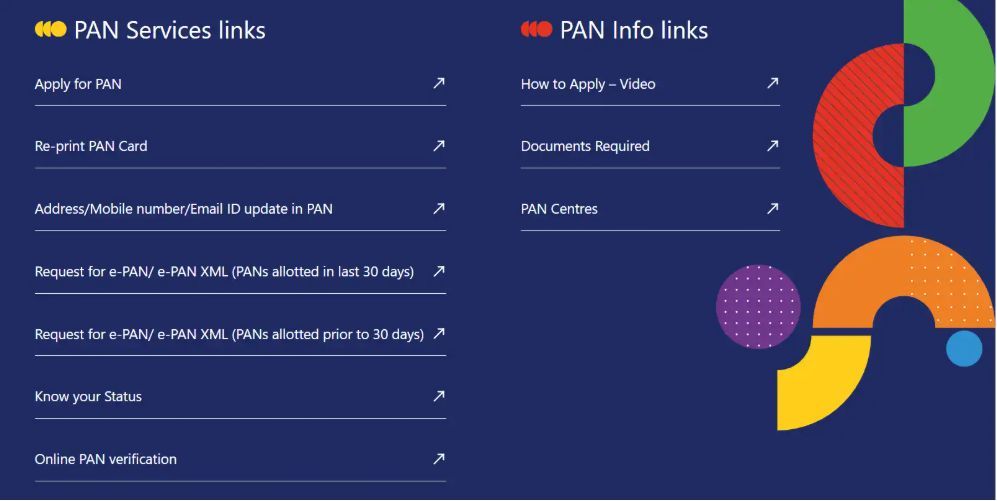
2. Scroll to ‘PAN Services Links’ and choose the applicable option:
- Download e-PAN/e-PAN XML (issued within the last 30 days), or
- Download e-PAN/e-PAN XML (issued more than 30 days ago)
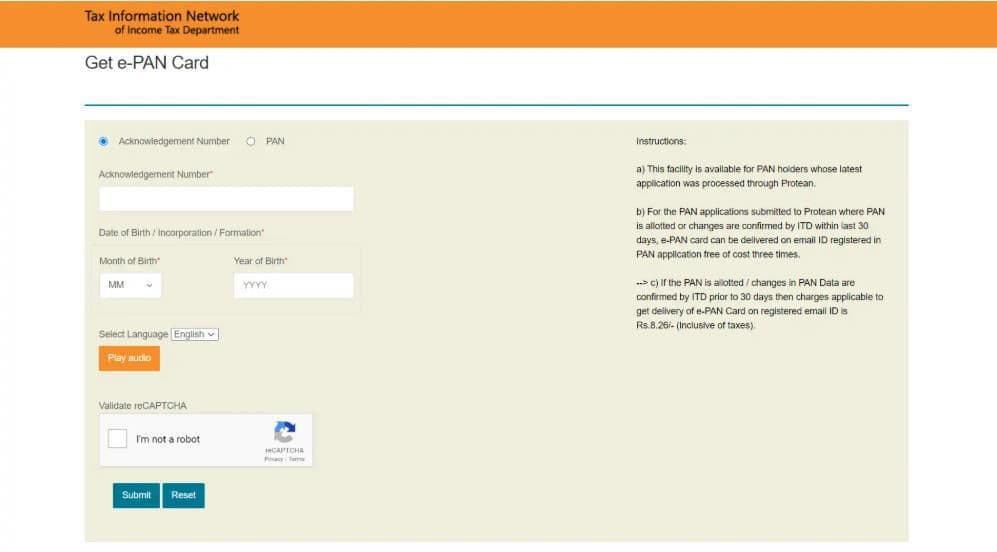
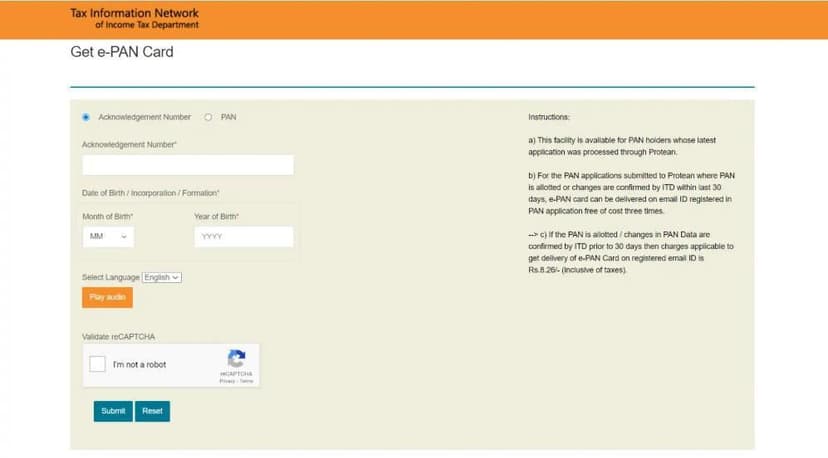
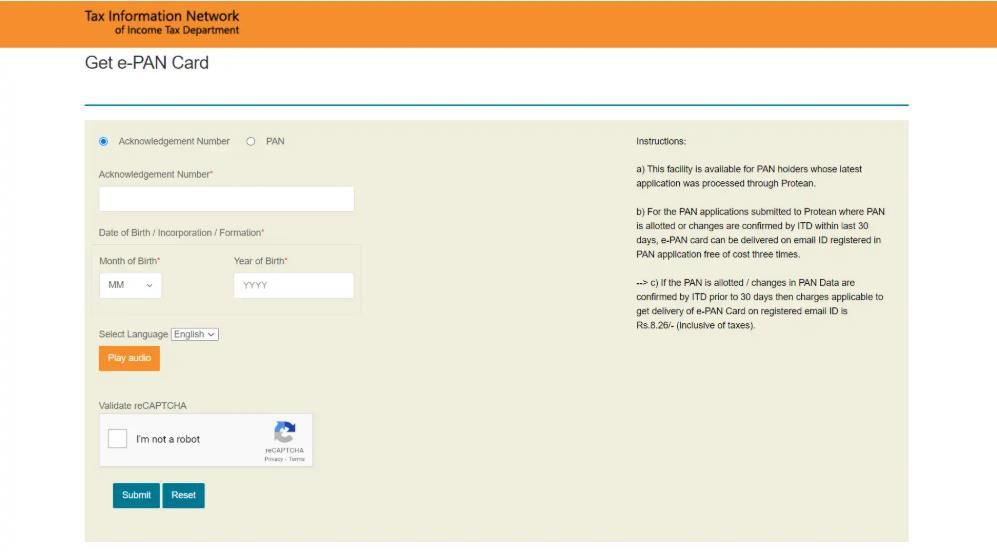
3. Select ‘Acknowledgement Number’, then provide:
- Acknowledgement Number
- Date of Birth
- Captcha Code
- Click Submit
4. Choose your preferred OTP delivery method (email, mobile, or both) and click Generate OTP.
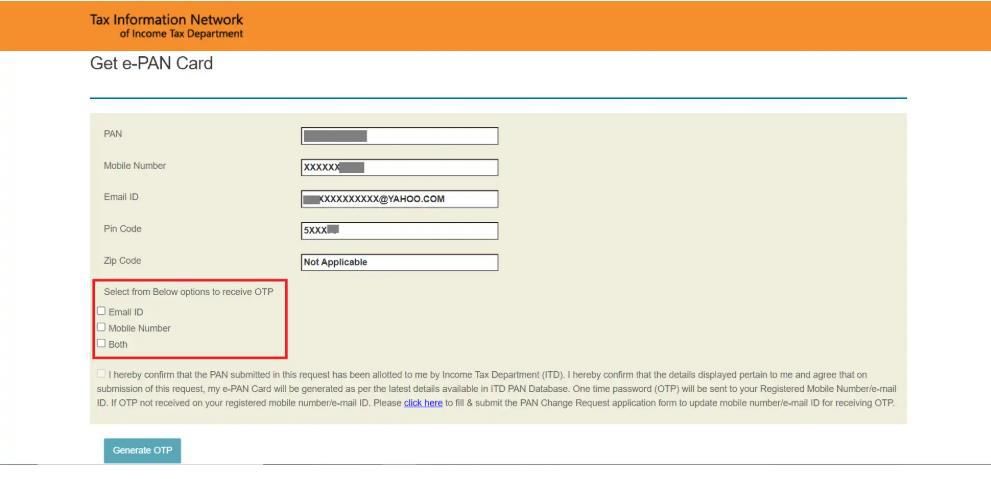
5. Enter the OTP received and click Validate.
6. Click Download PDF to save your e-PAN.
Free download within 30 days of allotment.
After 30 days, a fee of ₹8.26 applies. Click "Continue with paid e-PAN download facility" to proceed with payment
The downloaded e-PAN PDF is password-protected.
How to Download e-PAN from UTIITSL Portal
1.Visit the UTIITSL official website.
2. On the homepage, go to "Download e-PAN" and click "Click to Download".
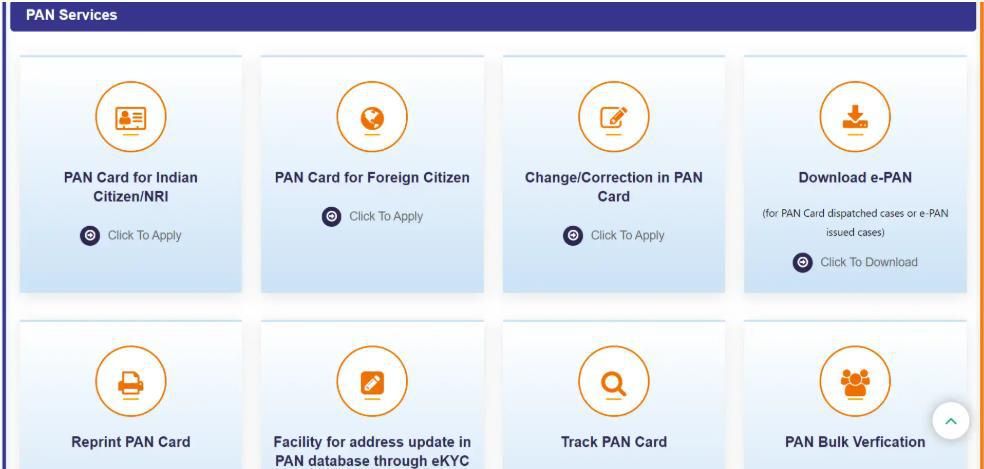
3. Enter the following details:
- PAN
- Date of Birth
- GSTIN (if applicable)
- Captcha Code
- Click Submit.
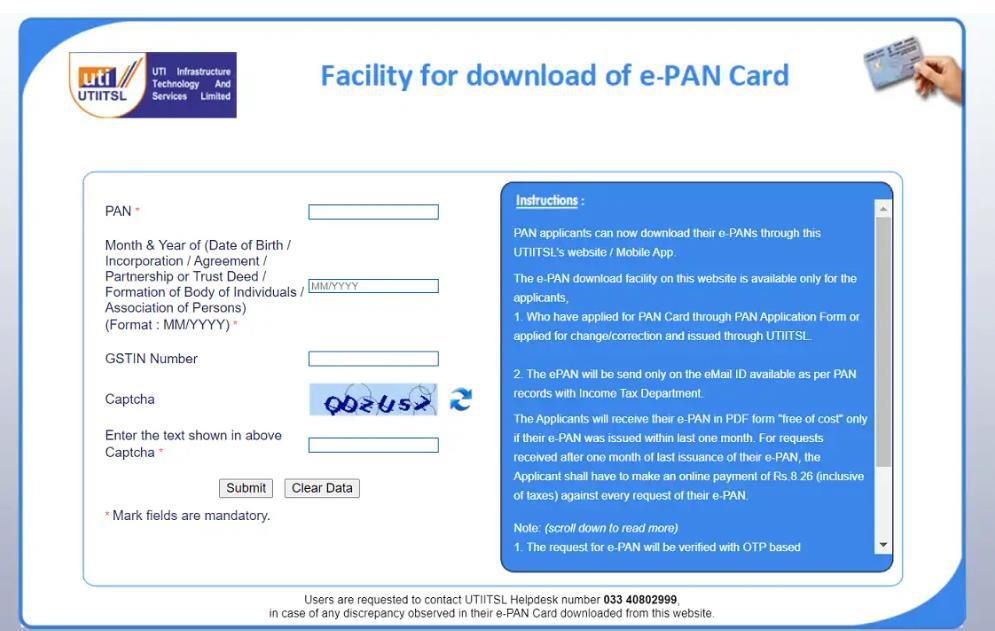
4. A download link will be sent to your registered email.
5. Click the link and verify with OTP to download your e-PAN.
Free for 30 days post-issue;
₹8.26 fee applies thereafter.
About the Author

Eligibility Criteria
How to Download e-PAN from NSDL Portal
How to Download e-PAN from UTIITSL Portal